Get started
Sign up today. Run your lots today.
Lotably is self-serve. Create your account online, set up your lots in one sitting, and start the same day, with no sales call, no hardware to order, and no long-term contract.
No credit card for Free. Month to month. US and Canada.
Pick your starting point
Three steps and you’re set up
Most operators start with one of these. Do both if you sell daily parking and enforce it: every QR payment is checked automatically when you scan a plate.
Daily parking
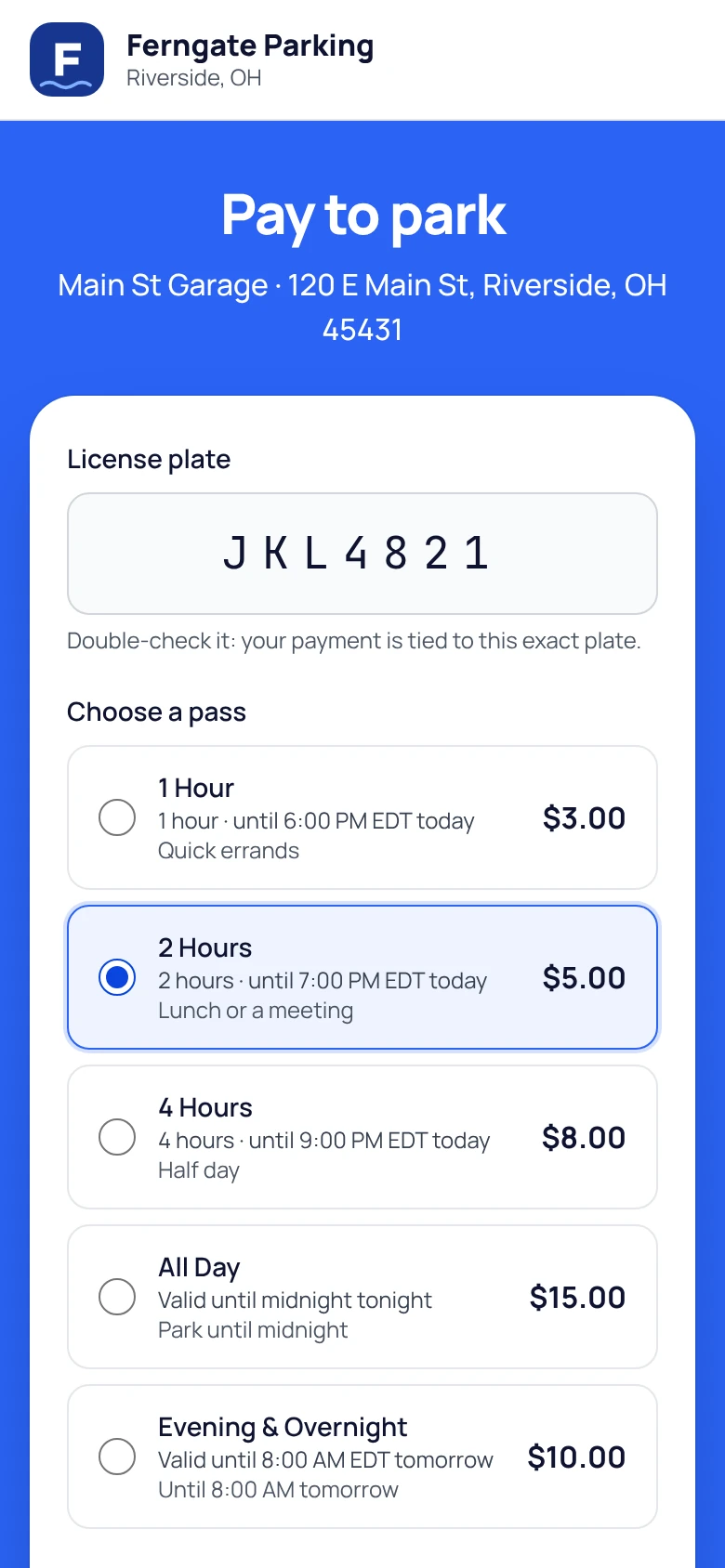
Sell parking by QR code
- 01
Sign up online
Pick a plan, confirm your email, and name your site. Then connect Stripe so payments land in your bank, which takes about 10 minutes.
- 02
Add your lots and rates
Set prices by the hour, for the rest of the day, or until a set time. By default, drivers pay exactly what you post, with no fees added.
- 03
Print your QR poster
Every lot gets its own poster. Drivers scan it, pay from their phone, and park. No app, no meter, no pay station.
All you need is a printer
Enforcement
Enforce from your phone
- 01
Sign up online
Your account comes with a starter fine schedule, escalation included. Change any amount or add your own violations.
- 02
Add your monthly parkers
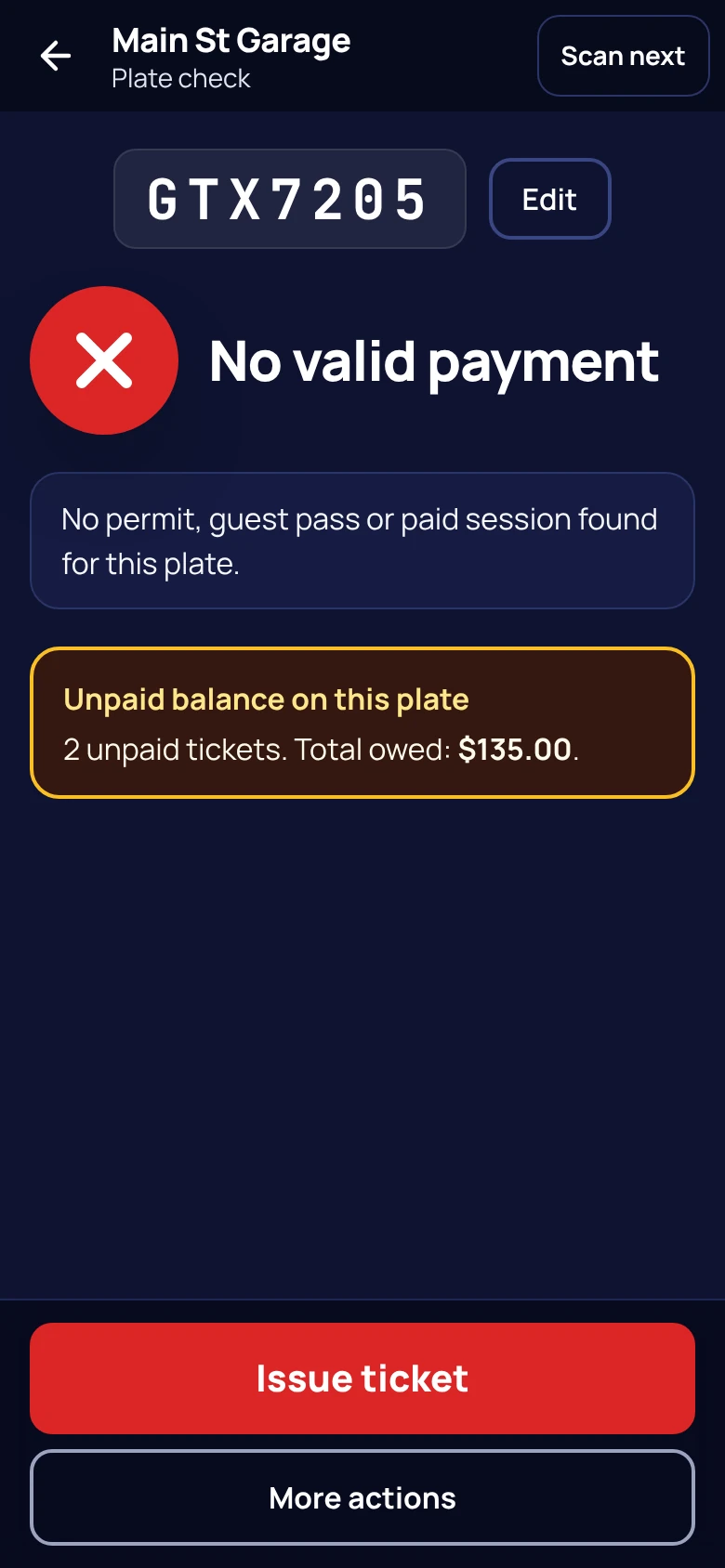
Type them in or upload your roster as a CSV. Lotably flags anyone on it, or anyone who paid to park, before you write a ticket.
- 03
Start scanning plates
Open Lotably on your phone, point the camera at a plate, and see in seconds whether the car belongs. Ticket on the spot with photos.
All you need is a phone
Follow a first-lot setup
See a sample lot, a daily rate and a QR checkout preview, then review the checklist for taking live payments.
Watch the setup guideThe signup, screen by screen
Five short screens, then you’re in
Here is every screen you’ll see, in order.
- 01
Create your account
Choose Free or Starter, then enter your name, work email, a password, your business’s legal name, your phone number, and your state or province.
- 02
Confirm your email
We email you a 6-digit code. Enter it and you’re through to setup.
- 03
Name your site
Pick the name drivers will see and your site address, yourname.lotably.com, checked as you type. Add your support contact, time zone, and business address.
- 04
Choose your features
Everything is switched on except booting and towing, which start off. Your account goes live without them, and if you ask for them, Lotably turns them on and emails you. Lotably does not check whether booting or towing is allowed where you enforce: you are responsible for following the law, and you assume all risk of using them.
- 05
Review and sign
Read your agreement and order summary, confirm your business is authorized to enforce every lot you’ll add, and sign electronically. There’s no letter to upload.
Want to read what you’ll sign before you start? The Software Services Agreement (Canada), Terms of Use, and Privacy Policy are all public.
After you sign
Live the moment you sign up
- You’re live right away
- Free accounts go live the moment you sign. Starter goes live as soon as you save the card or bank account it’s billed to, and the first month is charged then.
- Set up in one sitting
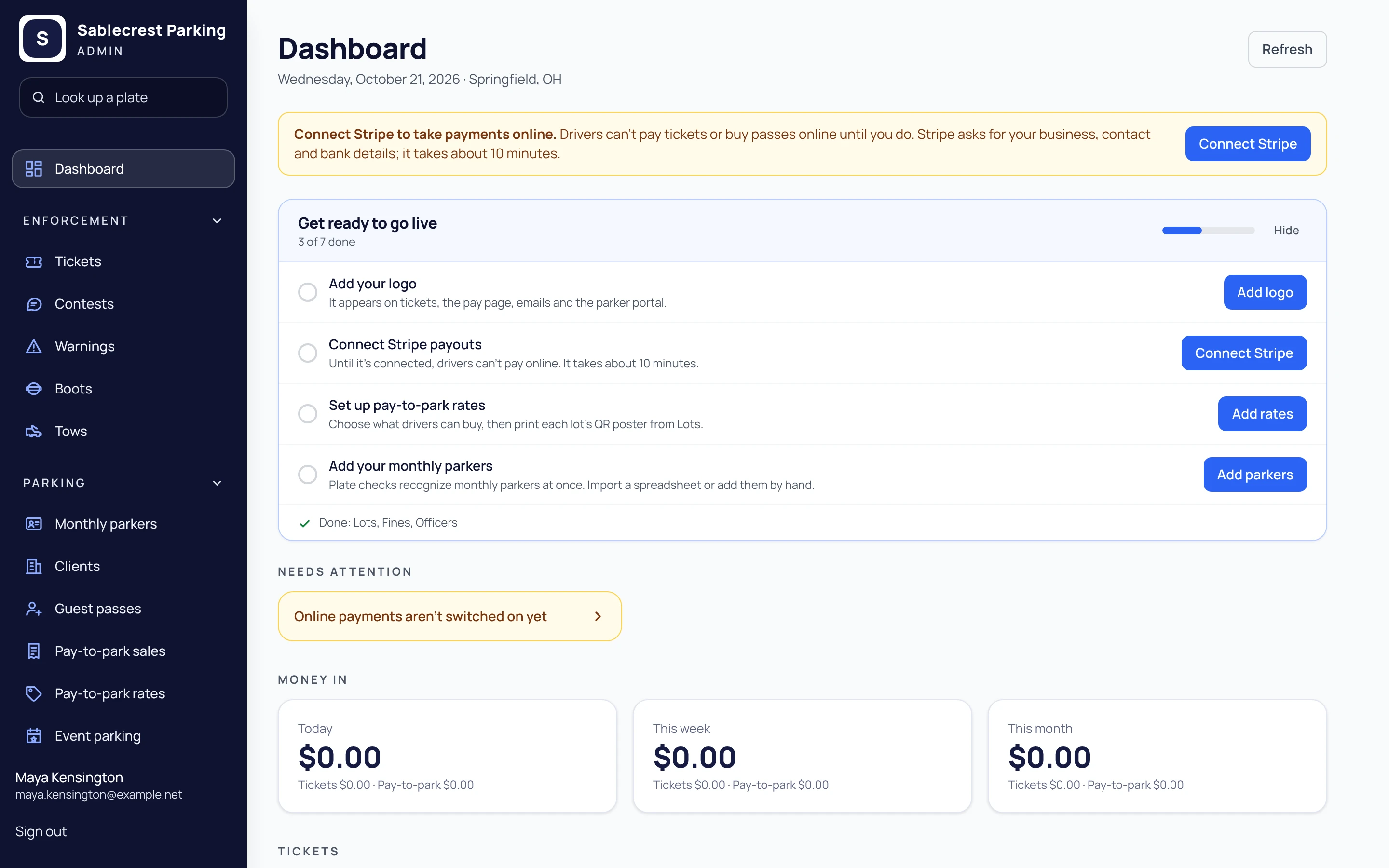
- Sign in and add your lots, rates, fines, officers, and ticket layout, and connect Stripe. It all saves as you go.
- Start enforcing
- Tickets, payments, and your public pages are already on. Print your QR posters and start scanning.
Before you start
What to have on hand
- Your business details
- Legal name, address, and the support email and phone drivers will see.
- Permission for each lot
- Written authorization from each property owner or manager to enforce parking there. Keep it on file: you confirm you have it when you sign, and there’s nothing to upload.
- A bank account for Stripe
- You set up your Stripe account during setup, and payments settle straight to it.
- No credit card on Free
- Starter asks for a card or US bank account at the end of signup, and goes live once it’s saved.
Plans
Pick a plan, switch anytime
Both plans include every feature. The difference is how you pay and how many lots you run. Full pricing details.
Free
$0/mo
12% of payments collected online
- Up to 2 lots
- Daily parking at most 35¢ a session, no app fee for drivers
- No credit card to sign up
- Best when drivers pay online
Starter
$99/mo
5% of payments collected online
- Up to 25 lots
- Daily parking at most 25¢ a session, no app fee for drivers
- No per-lot fee when drivers pay through Lotably
- Stripe not connected, or more than the occasional outside payment after we tell you? Lots over 2 are $39/mo each
Running a large portfolio, a campus, or a city program? Call +1 (513) 348-3049 or send us a message and we’ll quote a Custom plan.
Questions before you sign up
Do I need to talk to sales before signing up?
No. Free and Starter are fully self-serve: sign up online and set everything up yourself. Call or email us if you have a question first, or if you need a Custom plan for a large portfolio, your own domain, or municipal terms.
Do I need to send a property authorization letter?
No. When you sign, you confirm that your business has written authorization from the owner or manager of every lot you’ll enforce, and you keep those letters on file. We may ask for a copy later. Booting and towing start off until you ask, and Lotably does not check whether they are allowed where you enforce: you are responsible for following the law and assume all risk of using them.
How soon can I start?
Right away. Free accounts go live as soon as you sign, and Starter accounts as soon as the card or bank account is saved. Then add your lots, rates, fines, officers, and monthly parkers, design your ticket layout, and connect Stripe.
Do I need a credit card to sign up?
Not for the Free plan. Starter asks for a card (or a US bank account) at the end of signup. Your account goes live as soon as it’s saved, and the first month is charged then.
What equipment do I need?
For enforcement, a phone. The officer app runs in the browser, and plate reading is built in. For daily parking, a printer for your QR posters. A Brother mobile printer is optional if you want printed tickets.
Where is Lotably available?
Across the United States and Canada. Canadian accounts are billed in Canadian dollars. Online signup isn’t open in Quebec yet while we prepare a French version of the agreement; contact us and we’ll set your account up by hand.
Can I change plans later?
Yes. Upgrade from Free to Starter anytime from your account page, and the new rate applies at once. Plans are month to month.
Sign up today. Set up today.
Create your account online, add your lots, and connect your Stripe account in one sitting. No sales call needed, and we’re a phone call away if you have questions.
No credit card for the Free plan · Month to month · Questions? Call +1 (513) 348-3049