For parking management companies
Every brand you manage, on one enforcement platform
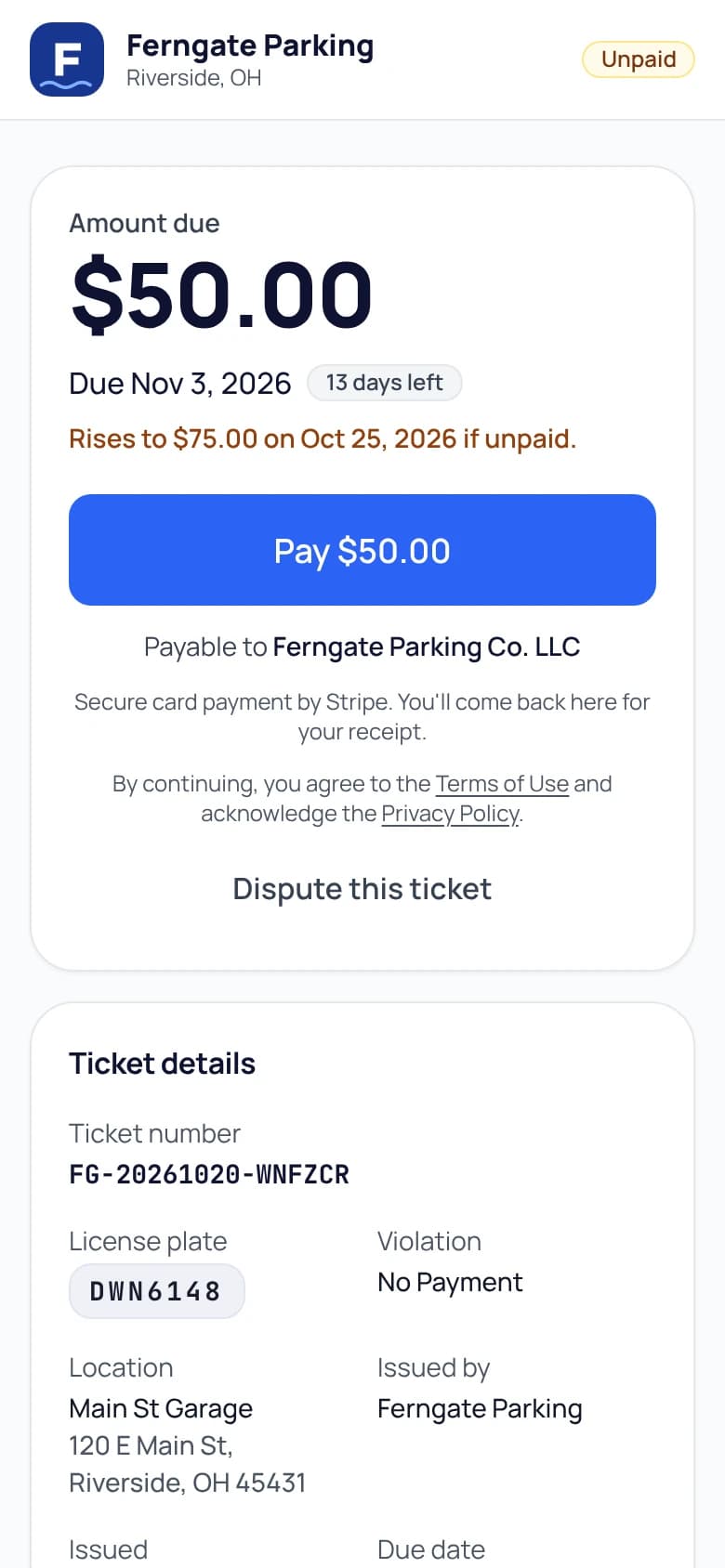
Run each client or brand as its own white-label workspace with its own branding, fines, timezone, and Stripe payout, all on one platform. Multi-tenant is the architecture, not an add-on.
- Your brand on everything
- You keep your own Stripe account
- No special hardware to buy
Sound familiar?
The problems this solves
A different tool per property
Every acquisition brings another login, another ticket book, another reporting format. Nothing rolls up.
Client money and yours, tangled
When one merchant account collects for every client, reconciliation and trust both suffer.
Your clients want their name on it
Property owners expect drivers to see their brand on tickets, pay pages, and receipts, not a third-party logo.
- Applications, waitlists, and plan rules
- Enable online monthly applications, review documents, and offer available spots from a per-lot waitlist. Named plans define days, overnight hours, and event rules. Activate a permit after payment or an authorized staff action.
- Sales, collections, and payment-system health
- Separate sales, collected payments, refunds, and tax in the Money report, with Stripe payouts alongside them. Check stale or failed outside-session syncs before patrol. Merchant invoices are reported separately.
- One workspace per brand
- Each brand or client runs as its own tenant with its own branding, violation catalog, fines, timezone, and feature set. Data is isolated at the database layer.
- White-label everything
- Logo, colors, site address, and document prefixes per workspace, on your own domain with a Custom plan. Drivers and clients see the operation, not the software vendor.
- Clean money separation
- Each workspace connects its own Stripe account, so every client’s citation and parking revenue settles to the right place automatically.
- Permissions and audit
- Granular per-user permissions with immediate revocation, and a complete audit log stamped on every action, including support access.
- Reporting per lot and brand
- Dashboards and exports scoped by workspace, so client reporting takes minutes instead of month-end archaeology.
- The same field workflow everywhere
- Officers get one consistent scan-check-cite workflow across every property, on the phones they already carry.
What operators ask us
Go deeper
Parking management software: what it covers and how to chooseRun your numbers
Citation revenue calculator
Can people apply for monthly parking online?
Yes. Turn on online applications, choose the plans and documents to request, and set monthly spots per lot. Staff can approve, decline, or waitlist applicants. When a counted spot opens, the next applicant receives an offer held for 72 hours. Approval creates the permit; it starts after the first payment or a staff action, depending on the payment arrangement.
Which outside parking-payment systems are supported today?
Parking BOXX sync, ParkMobile sync, and manual or CSV session entry are supported and can be enabled together. Lotably’s own parking passes, guest passes, and permits are checked alongside them. Staff can monitor payment-system health, and officers see a warning when relevant outside data cannot be verified. For another vendor, add sessions by hand or by CSV today; when the vendor offers an API, Lotably builds the connection at no extra cost (the vendor may charge for API access).
Can each client have their own branding and fines?
Yes. Each brand runs as its own workspace with its own logo, colors, site address (or your own domain), violation catalog, fine schedule, timezone, and payout account. Multiple brands means multiple workspaces, all managed by your team.
How is client revenue kept separate?
Every workspace connects its own Stripe account through Stripe Connect, so each client’s revenue settles directly to their account. Nothing pools in a shared balance.
How quickly can we onboard a new property?
We set up the new workspace on your Custom plan. Then import the permit roster by CSV, set fines and branding, and run the go-live checklist. Most workspaces are enforcing the same day.
Run every property on one platform.
Start with one property today and add the rest as you grow, each brand with its own workspace and payouts.
No credit card for the Free plan · Month to month · Questions? Call +1 (513) 348-3049