The platform
Run parking from the first application to the final payment
Sell parking, manage permits and guests, check plates, and resolve citations with one set of lots and records. These are the workflows your team and your customers can use today.
Capabilities reviewed . Some workflows need enabling or configuration.
Enforcement
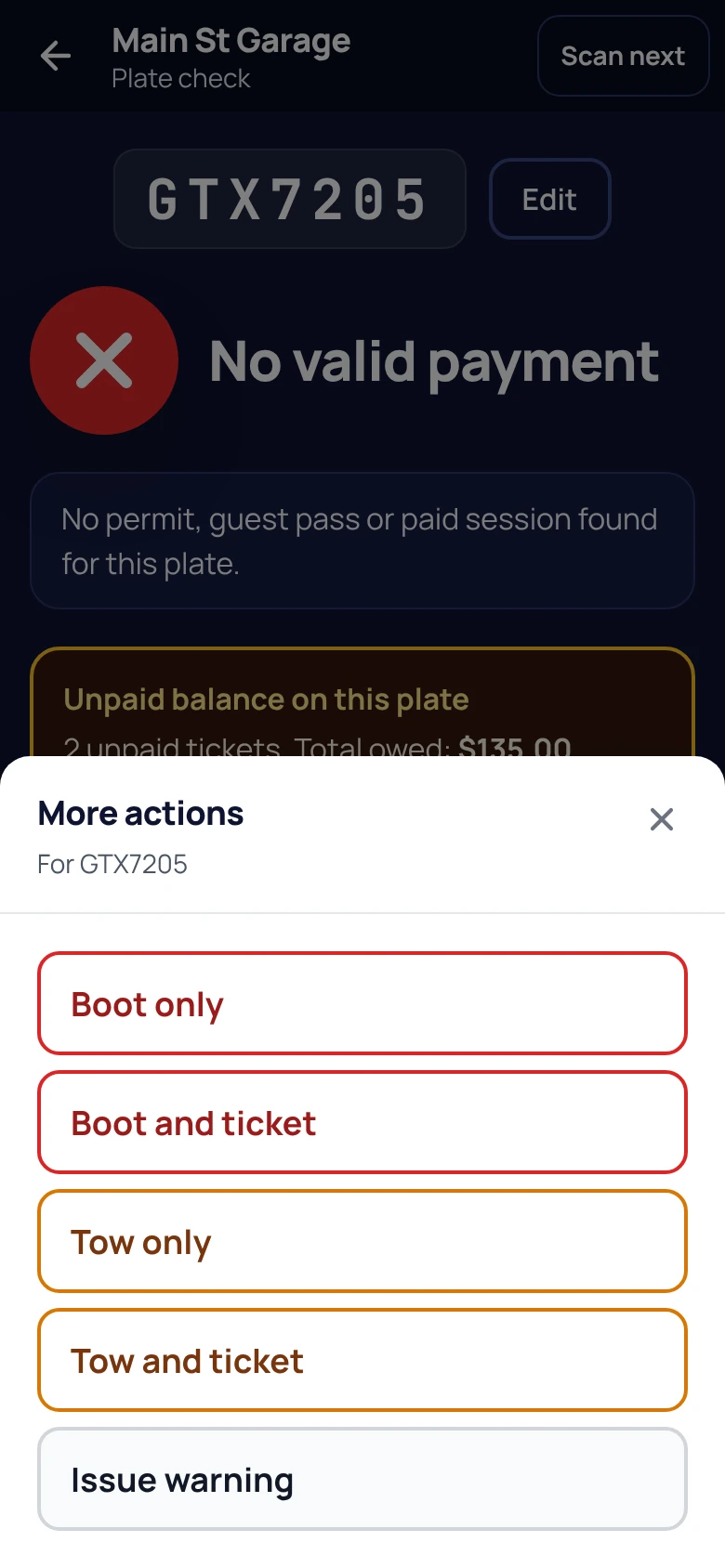
Check the plate. Keep the reason for the decision.
See the permits, guest passes, and paid sessions that cover a vehicle, then decide whether to move on, warn, or cite.
- Scan with the phone camera or type a plate. Check the lot, permit days and hours, event rules, and paid parking.
- See possible plate typos, prior unpaid tickets, and relevant payment systems that could not be verified.
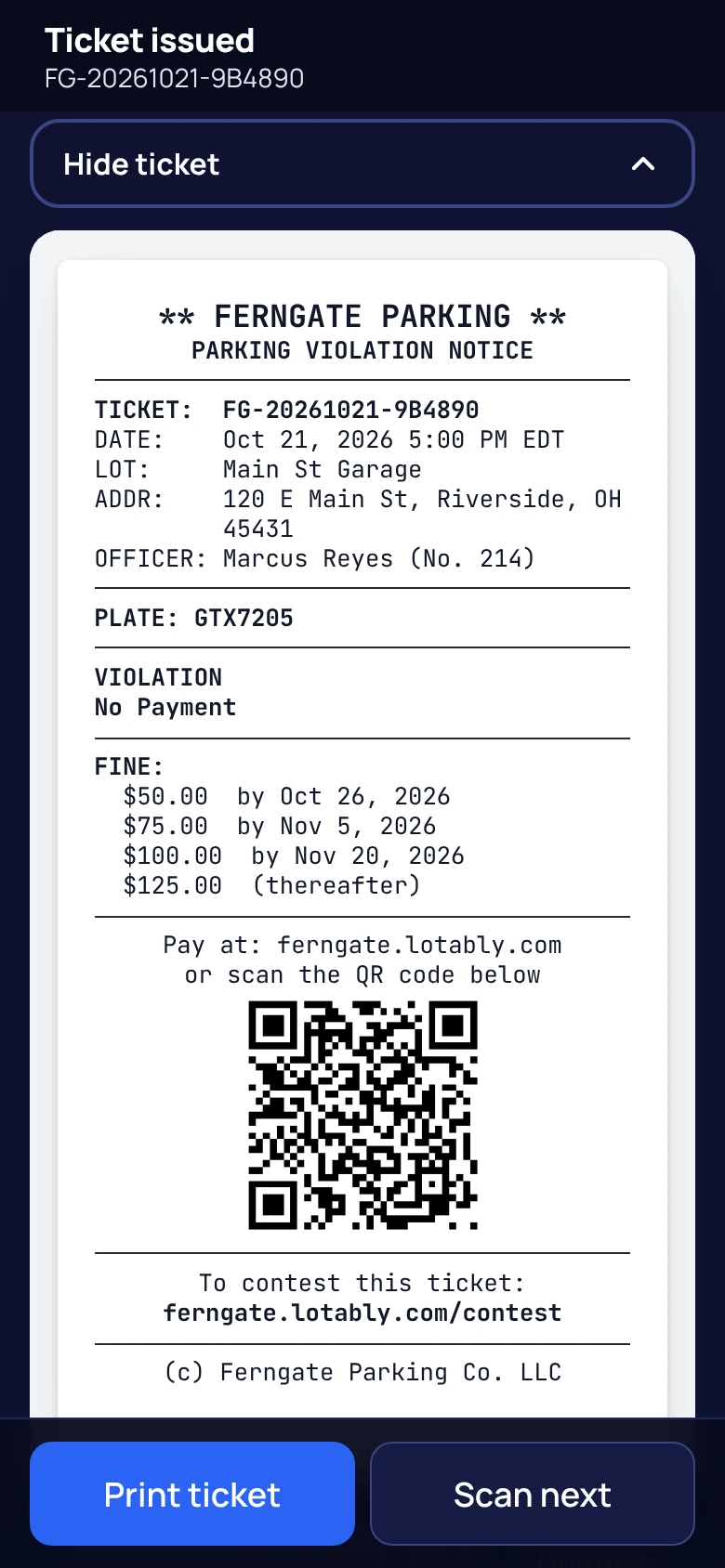
- Keep photo evidence, the fine schedule, and a “Why this ticket” record of the verified plate check when available.
- Set courtesy warnings by lot. Print with Brother mobile printers; Zebra on Android is in testing.
- Record boots and tows, and call your tow company in one tap. Both start switched off. Ask for them at signup or later and Lotably turns them on. Lotably does not check whether booting or towing is allowed where you enforce: you are responsible for following the law, and you assume all risk of using them.
Citation payments and disputes
Collect online. Review a contest with the record in front of you.
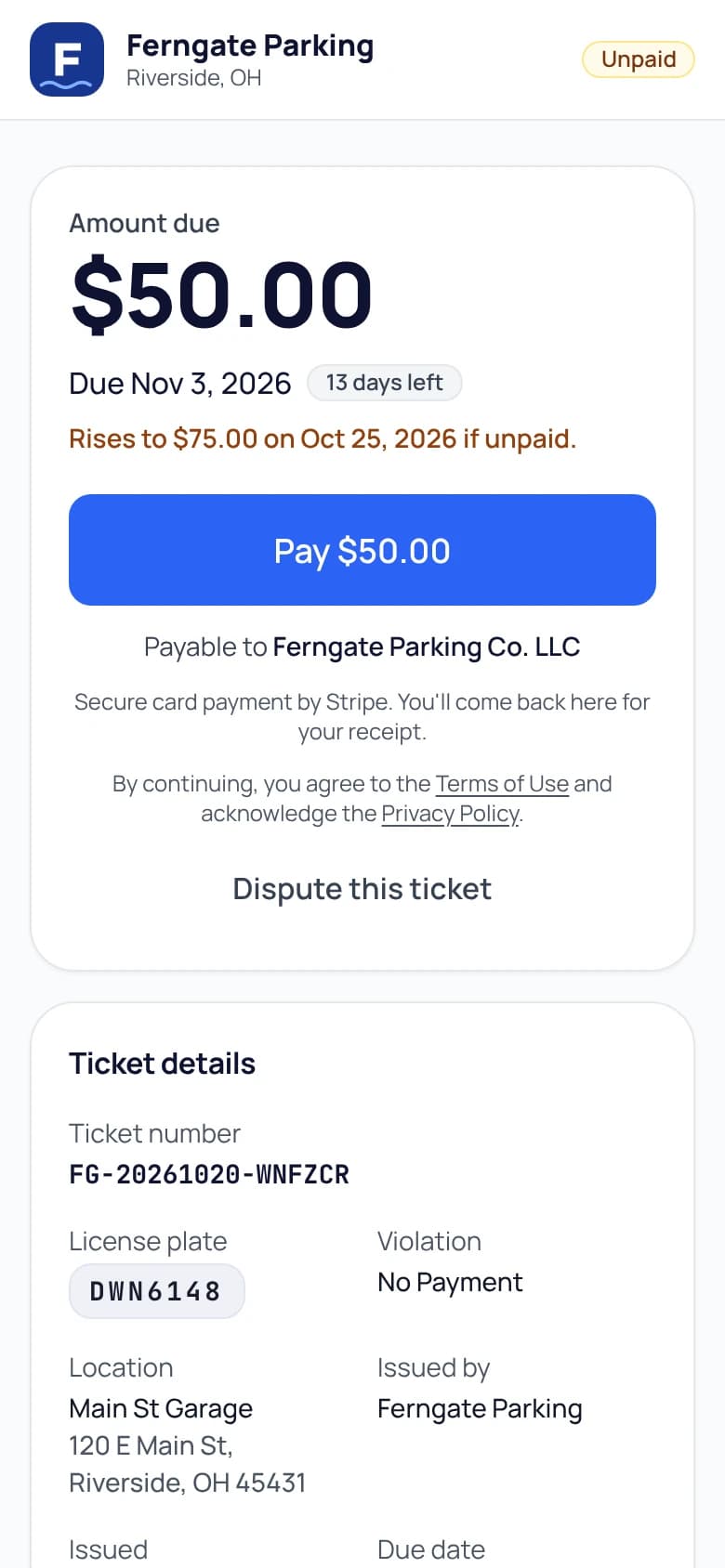
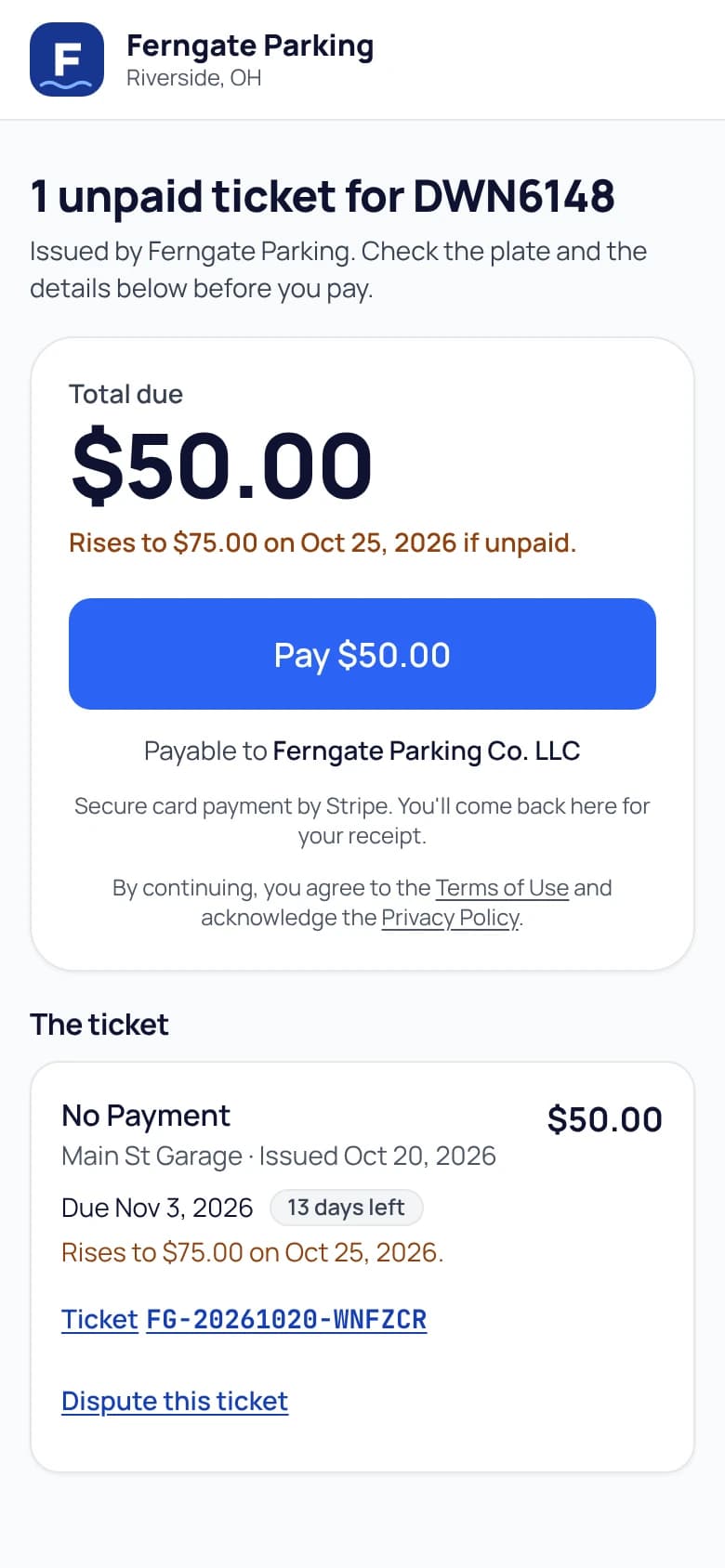
Drivers pay by ticket number, plate, or QR code under your brand. Your team handles exceptions from the same record.
- No driver account needed. Pay one ticket or the eligible balance on a plate through your connected Stripe account.
- Drivers can attach photos and PDFs to a contest. Staff review the statement, evidence, and available plate-check context.
- Download a dispute packet with the ticket, contest, staff notes, history, and available evidence.
- Authorized staff issue refunds. Lotably’s application fee is returned with a refund; a dispute still needs a staff decision.
- Optional AI recommendations assist staff. They do not decide contests or review newly attached driver files and the saved plate-check record.
- Collections tools include payment plans when enabled, recorded outside payments, and PDF notices for staff to mail.
Monthly plans and permits
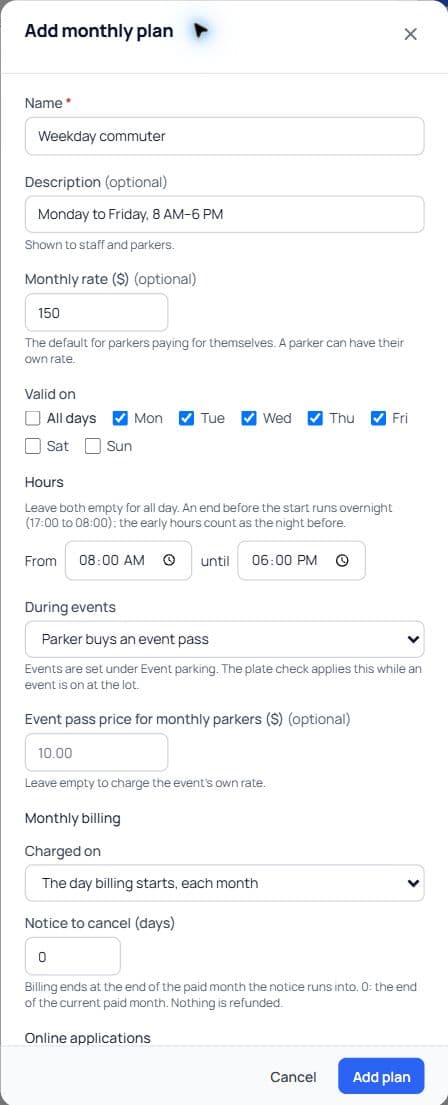
Set the parking rules once, then apply them to each permit.
Manage individual parkers and company accounts, with plans that set the days and hours their parking is valid.
- Create named plans with a monthly rate and permitted days, including daytime or overnight hours.
- Choose whether a permit remains valid during events or needs an event pass, optionally at a special plan price.
- Track physical hang tags, stickers, and cards: issue, replace, mark lost, revoke, or record a return, with history.
- Let parkers update vehicles and billing through an email-link portal. Companies manage their allotment of parkers.
- Card, ACH, or net-14 invoices; anniversary or first-of-month billing; first-month proration, cancellation notice, and operator-set lot tax rates.
- Record cash, checks, or transfers. Refund a full paid monthly charge from billing; stopping the subscription is a separate action.
Applications and waitlists
Take an application all the way to an active permit.
Give applicants an online form and a status link. Give your office a review queue and a clear count of monthly spots.
- Choose which plans accept applications, the terms applicants agree to, and any supporting documents.
- Approve, decline, or waitlist applicants. Set monthly spots per lot to manage availability.
- Offer open spots to the next person in line, with a 72-hour hold and email updates.
- Start approved permits after the first payment, a recorded payment, or an authorized staff action on invoice terms.
- Online applications are off until you enable them. Monthly spots must be configured for the availability and waitlist workflow.
- 1
Apply
Choose a plan and lot, accept the terms, and attach requested documents.
- 2
Review or waitlist
The office checks the application and the lot’s monthly spots.
- 3
Offer a spot
A waitlist offer is held for 72 hours.
- 4
Activate
First payment or an authorized staff action starts the permit.
Resident and guest parking
Let residents arrange a visit without calling the office.
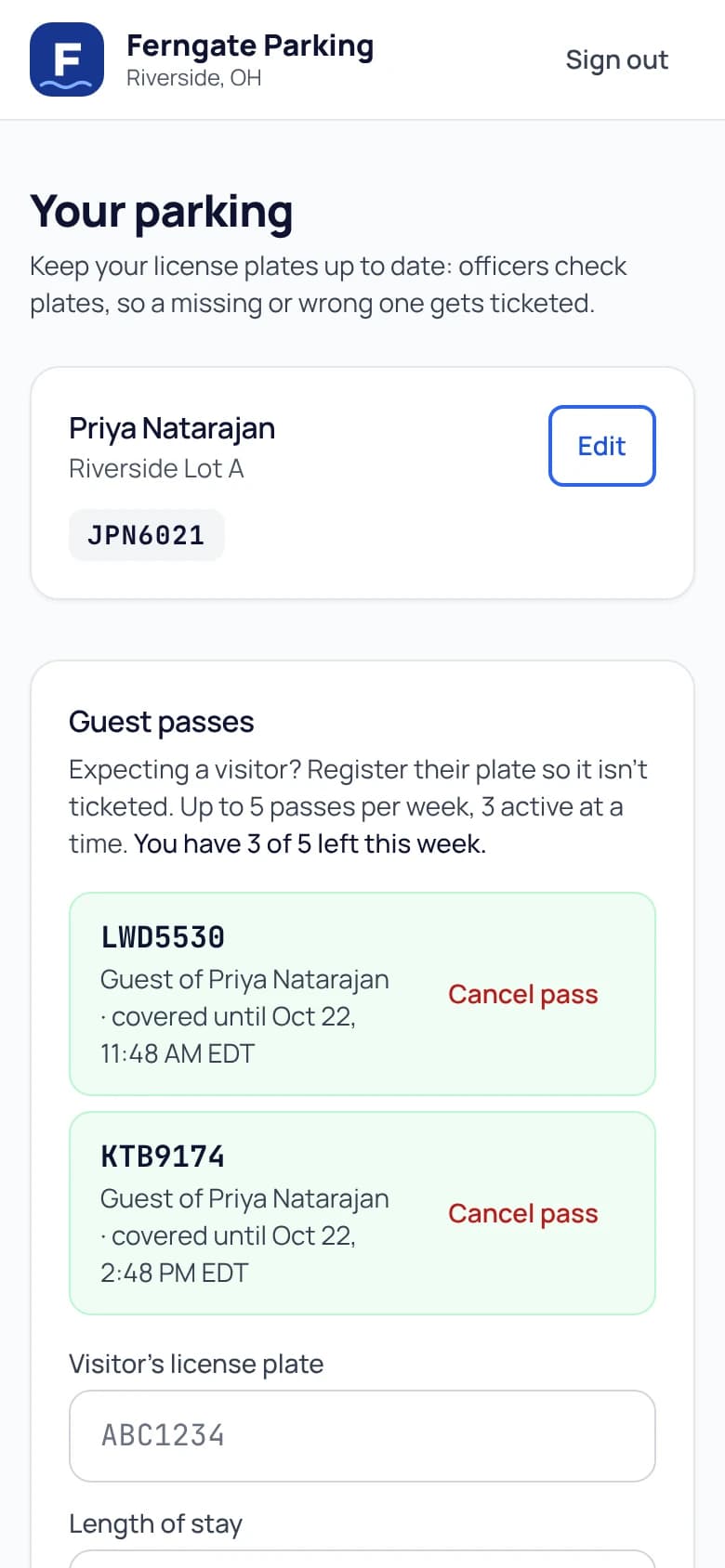
A guest pass connects the vehicle to its host and unit, so the officer can see who it belongs to and when the stay ends.
- Start now or schedule up to 30 days ahead. Extend a stay within the resident’s allowance.
- Designate visitor lots, including where residents may use a guest pass for their own registered car.
- Choose calendar-week or calendar-month quotas, simultaneous-pass limits, and maximum pass length.
- Staff can issue or extend a pass for a resident and record a reason when overriding limits.
- Cancel future or active passes. A canceled future pass does not use the allowance; one that already started still counts.
Daily and event parking
Sell parking for today or a day ahead.
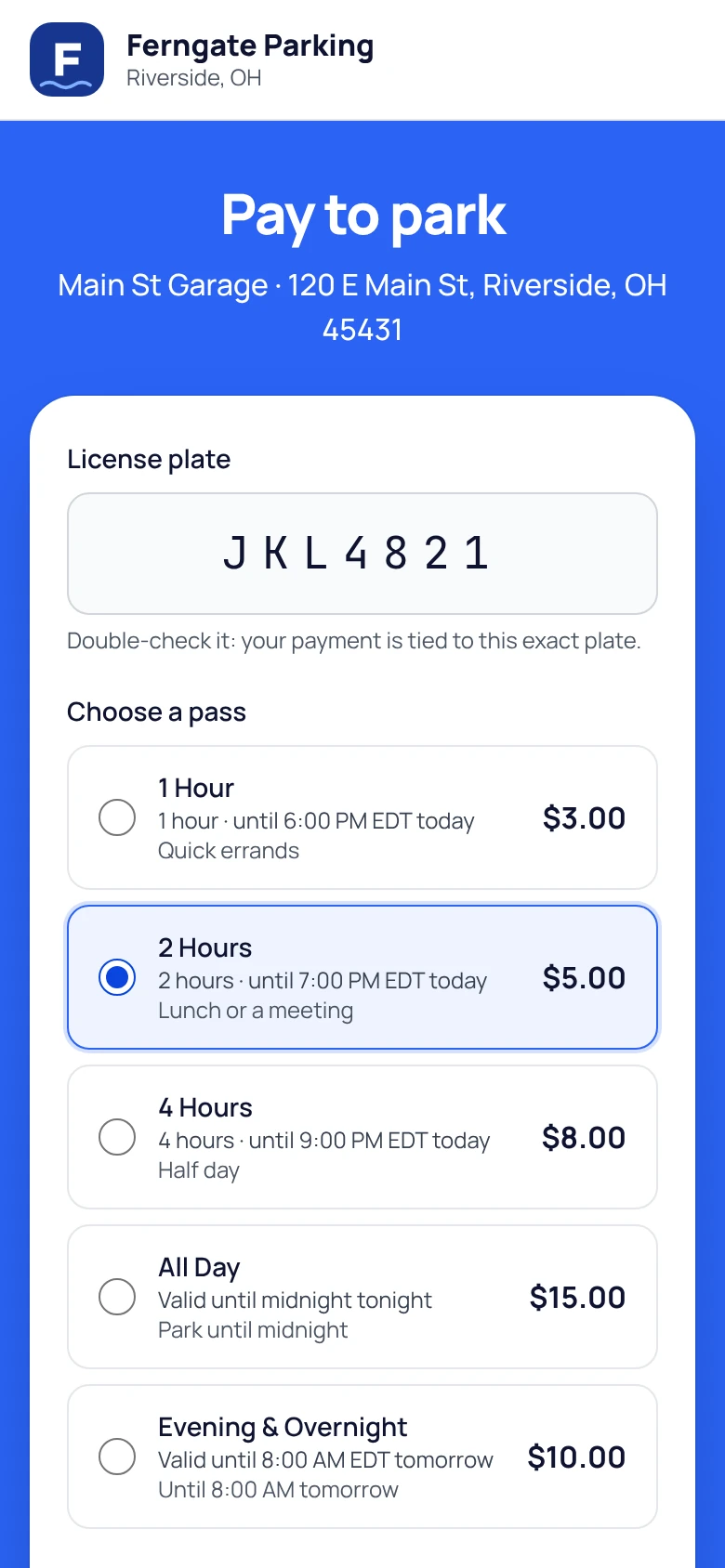
Drivers scan a lot’s QR poster, choose an eligible pass, and pay on their phone. The same parking record is available to enforcement.
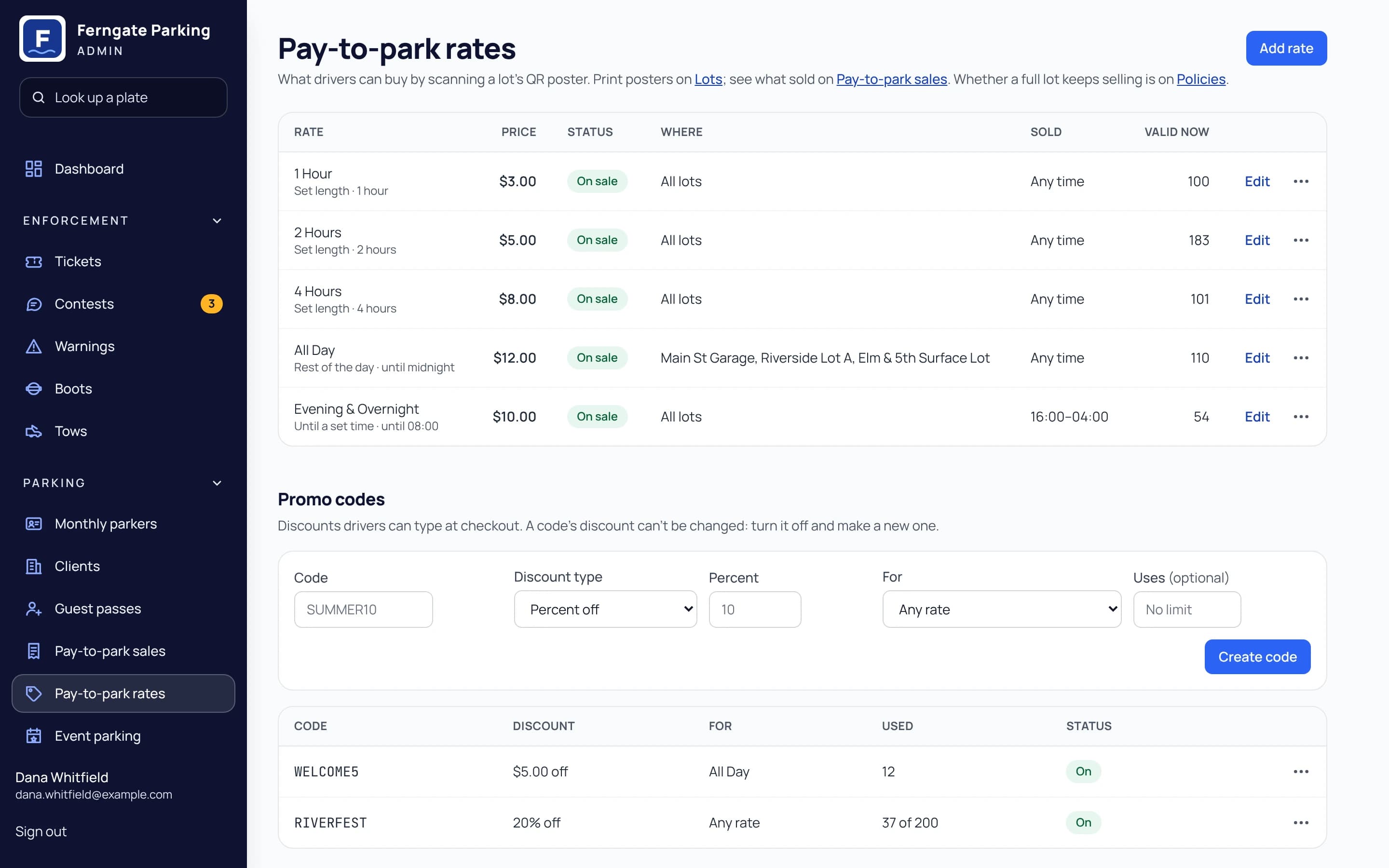
- Hourly, daily, overnight, and event rates, with sale windows and prices you control.
- Advance daily bookings with a per-lot daily limit, optional cancellation until the day before, and reminders.
- Promo codes for discounts or free parking; each code can explicitly allow event rates.
- Receipts by email or text, expiry reminders, and an Add time link for eligible passes.
- Drivers can correct a paid pass’s plate once within 15 minutes. Staff can correct eligible passes later with a note.
- Refunds and comps from the sales list. Advance booking covers eligible daily passes and event-day bookings, not assigned spaces.
Merchant validations
Give nearby businesses a way to cover customer parking.
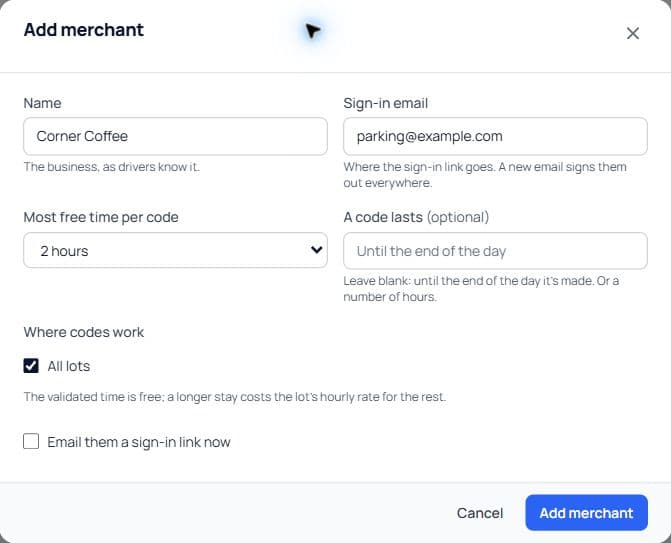
A store or restaurant signs in to its merchant portal and issues a single-use code or QR link for free parking time.
- Choose each merchant’s lots, maximum free time, and code expiry.
- Drivers use the validated time free, with no card needed for that free option, or buy eligible extra time.
- See code usage, minutes, and value by merchant. Download statements or send a monthly invoice through Stripe.
- Validations apply to eligible same-day, fixed-duration passes. They do not combine with promo codes, advance bookings, or event parking.
- Merchant invoices use your monthly-parking fee. They are tracked separately from the Money report.
Money and operations
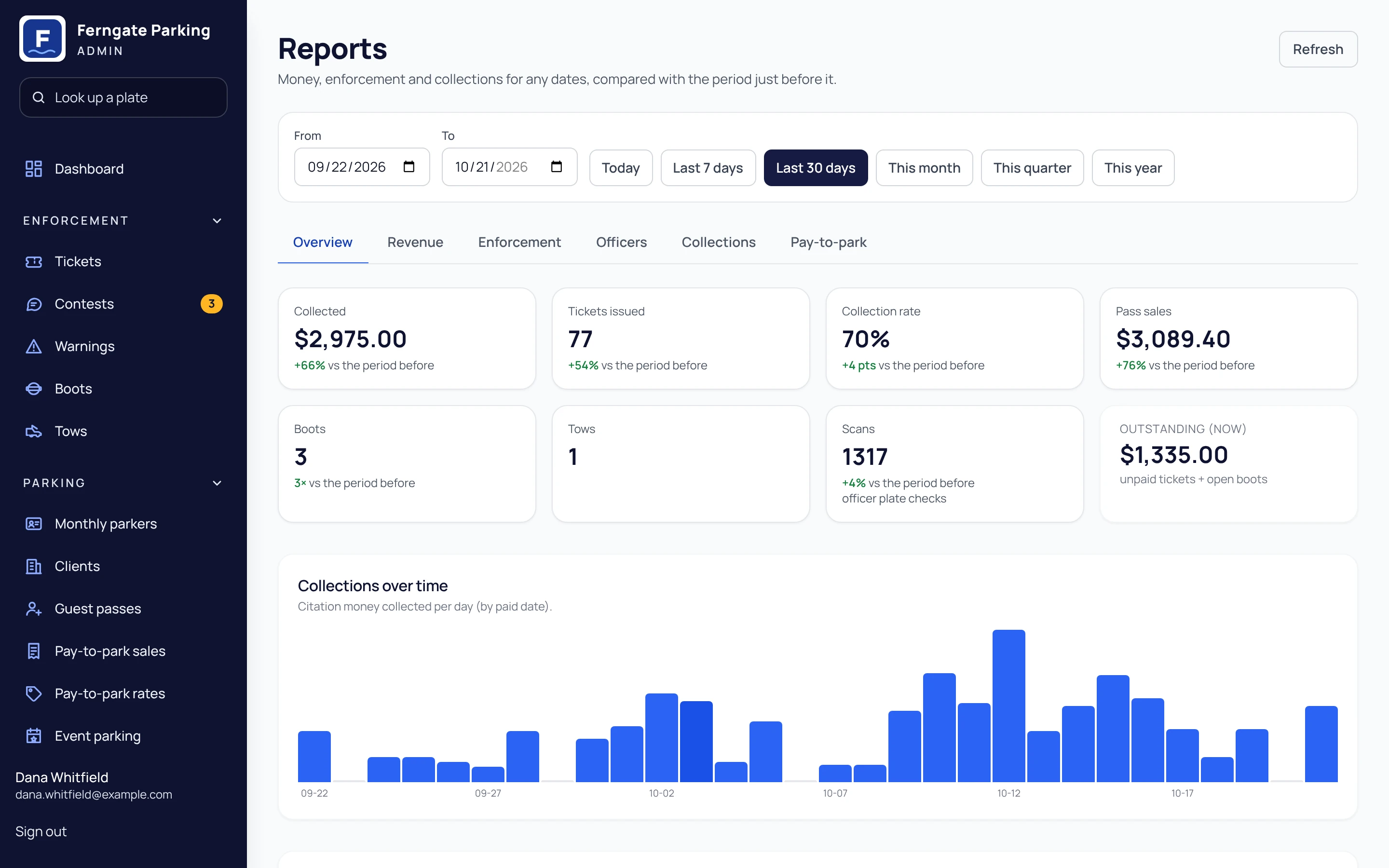
Know what was sold, collected, refunded, and paid out.
Separate the numbers that matter to the office, with permissions, exports, and an audit trail behind the work.
- The Money report separates sales, collections, refunds, and tax by income type, with Stripe payouts alongside them.
- Review payments recorded by staff, including methods and references, and export the summary or payment list as CSV.
- Monitor payment-system health: last successful sync, stale data, failed syncs, and unmapped sites.
- Keep monthly property reports, staff alerts, a daily summary, and your searchable operational records in the same console.
- Control staff permissions, violations, fines, branding, and exports. Merchant invoices are not yet part of the Money report; bank payouts require Stripe availability.
Security
Many operators, one platform, no crossover
- Each operator’s data is kept separate in the database, and every query is checked against the right operator.
- Lotably staff can reach an operator’s account only through an audited support mode.
- Integration passwords are encrypted at rest, with rate limits for each operator.
- Error monitoring for each operator, so problems are caught early.
- Exports, retention periods, and managed backups with point-in-time recovery.
Integrations
Works with what you already run
- Import your monthly parker roster and vehicles by CSV.
- Enable Parking BOXX sync, ParkMobile sync, and manual or CSV sessions together; check them alongside Lotably passes and permits.
- No integration for your vendor yet? Manual entry and CSV session import work with any lot.
- When another vendor offers an API, we build the connection at no extra cost (the vendor may charge for API access).
- Payments run through your own Stripe account, and plate reading is built in.
Questions about the platform
Can people apply for monthly parking online?
Yes. Turn on online applications, choose the plans and documents to request, and set monthly spots per lot. Staff can approve, decline, or waitlist applicants. When a counted spot opens, the next applicant receives an offer held for 72 hours. Approval creates the permit; it starts after the first payment or a staff action, depending on the payment arrangement.
Can monthly permits have different hours or event rules?
Yes. A monthly plan can specify days, daytime or overnight hours, and whether permits remain valid during events or require an event pass. You can set a special event-pass price for the plan. Plate checks evaluate the permit against the lot, time, and applicable rules.
Can nearby businesses validate customer parking?
Yes. Add a merchant, choose its lots and free-time limit, and send its sign-in link. The merchant issues single-use validation codes or QR links. Drivers get the validated time free and can buy eligible extra time. Validations use same-day, fixed-duration parking; they do not combine with promo codes, advance bookings, or event parking. Monthly statements and merchant invoices are available.
Can residents schedule or extend guest parking?
Yes. Residents can schedule a guest pass up to 30 days ahead, extend a stay within their allowance, or register their own car for an eligible visitor lot. Set calendar-week or calendar-month quotas, simultaneous-pass limits, and maximum length. Staff can issue passes for residents and record a reason when overriding limits.
What evidence is available when a driver contests a ticket?
Staff can review the ticket, officer photos, the driver’s statement and attached photos or PDFs, and the saved plate-check context when available. A downloadable dispute packet brings the record together. An optional AI recommendation assists review; staff make the decision, and the AI does not review the newly attached driver files or the saved plate-check record.
Which outside parking-payment systems are supported today?
Parking BOXX sync, ParkMobile sync, and manual or CSV session entry are supported and can be enabled together. Lotably’s own parking passes, guest passes, and permits are checked alongside them. Staff can monitor payment-system health, and officers see a warning when relevant outside data cannot be verified. For another vendor, add sessions by hand or by CSV today; when the vendor offers an API, Lotably builds the connection at no extra cost (the vendor may charge for API access).
Run it on your own lots today
Start free and set up your first lot this afternoon, or watch the one-minute demo to see scan, ticket, and pay end to end.
No credit card for the Free plan · Month to month · Questions? Call +1 (513) 348-3049